Crypto for first-timers, through conversation
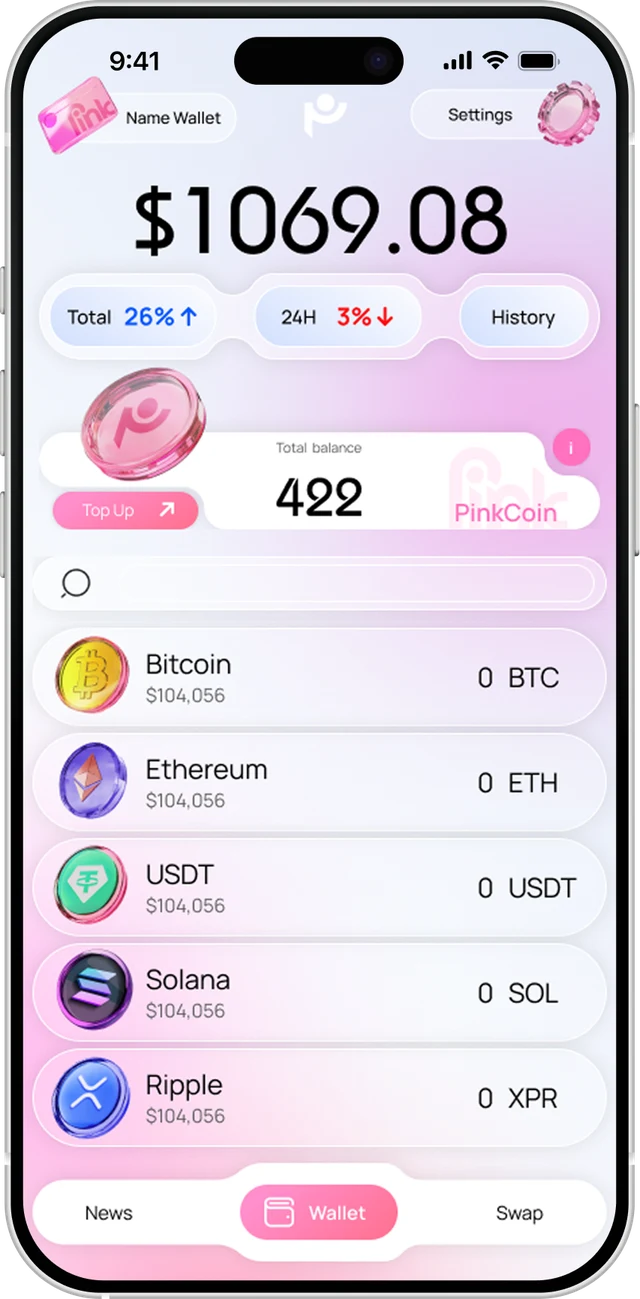
Most crypto wallets assume you already know what you’re doing. PinkWallet doesn’t.
It’s a self-custody wallet that works like a banking app and says plainly that a sent transaction can’t be undone.
PIG, an AI assistant, explains each action and sets it up. You press confirm.
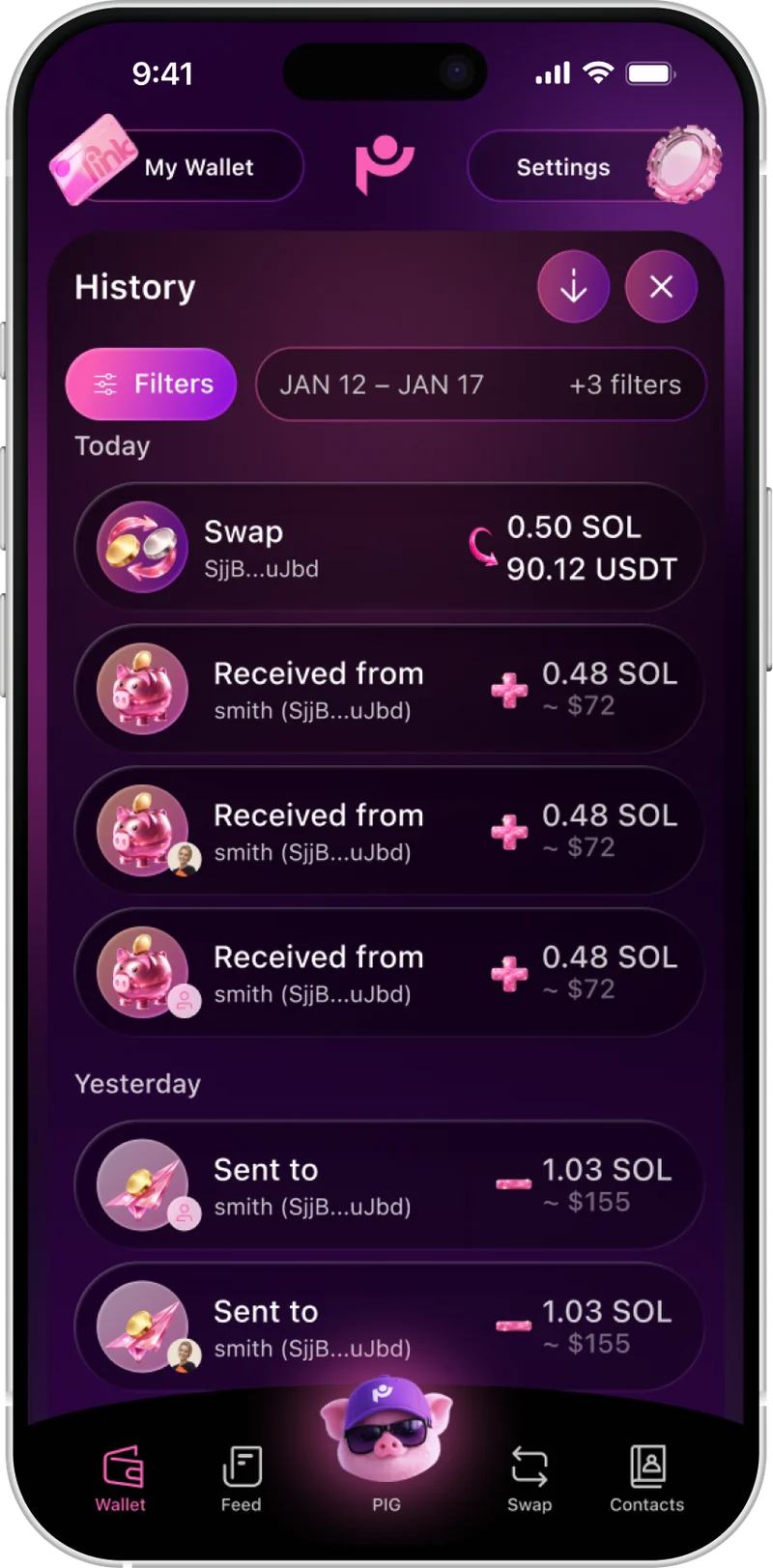
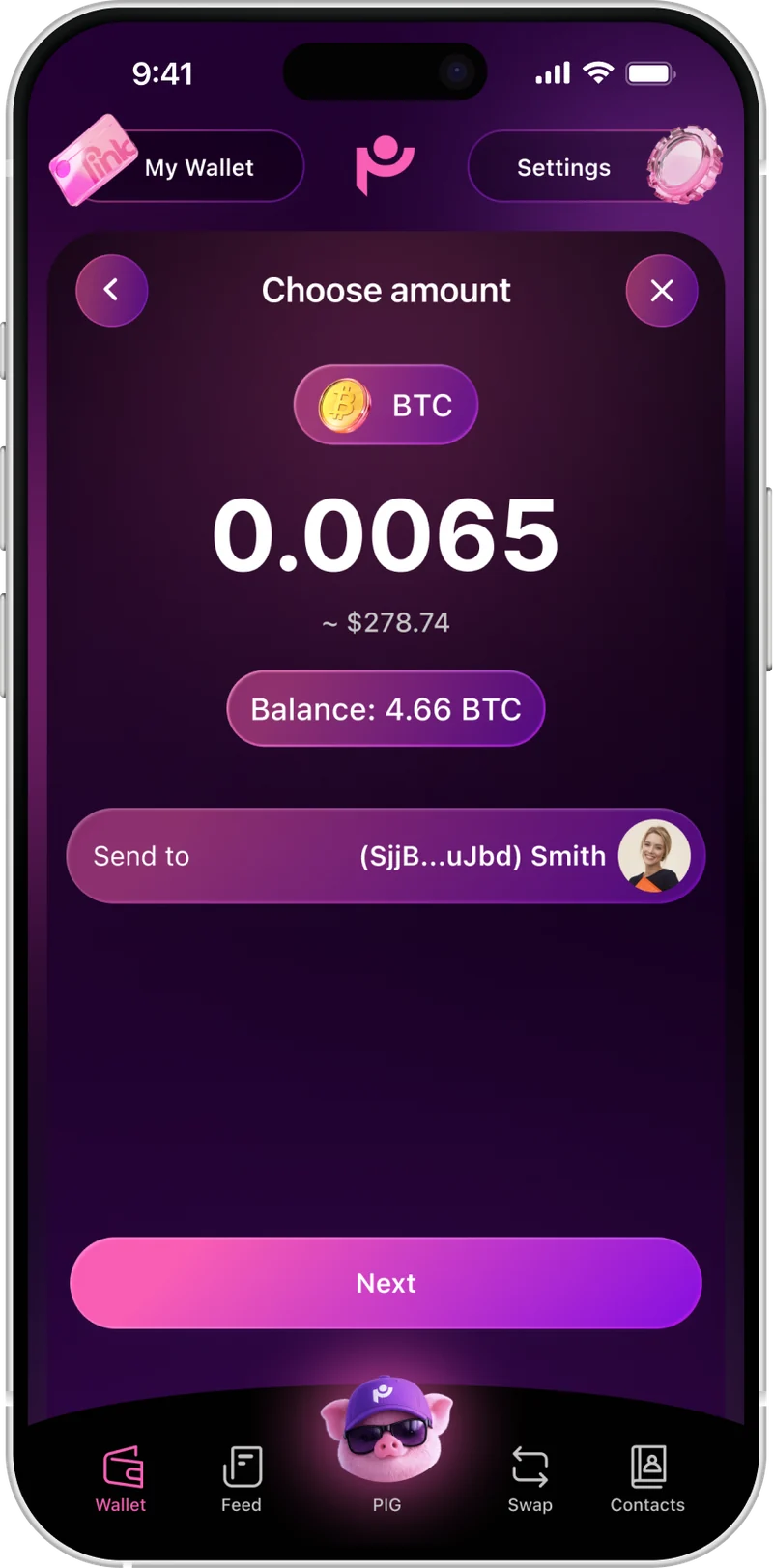
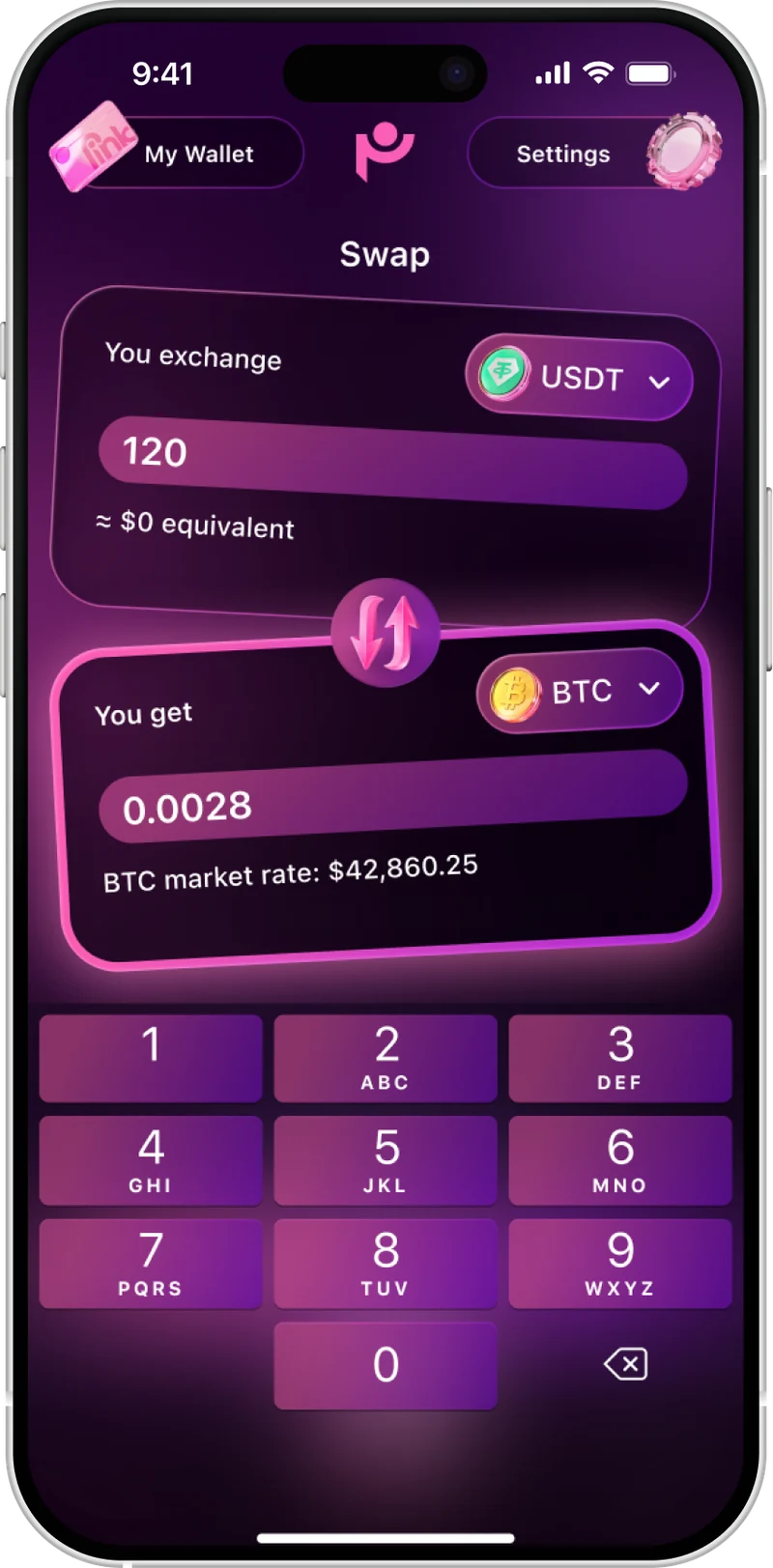
PinkWallet at a glance
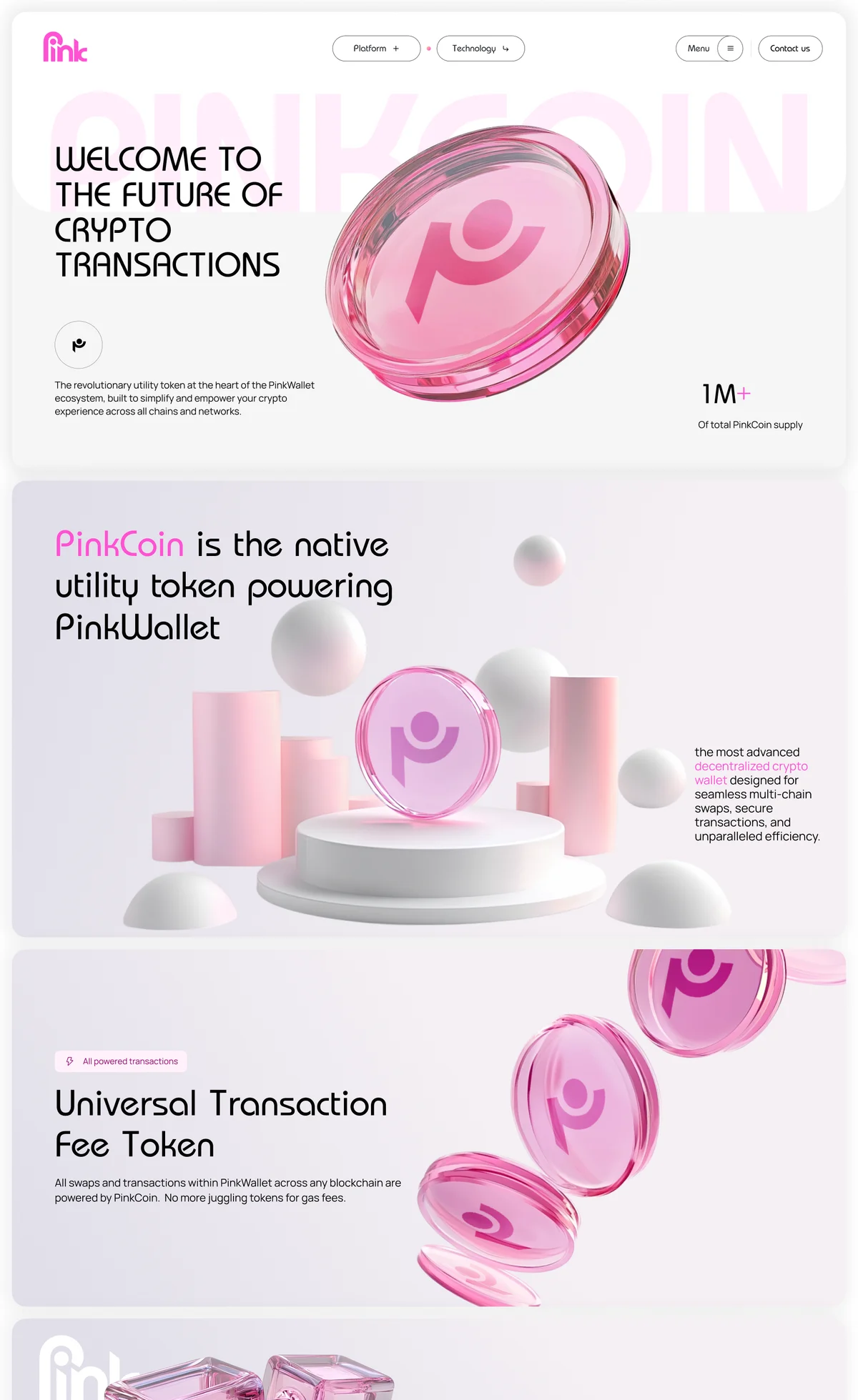
The brief changed before we started designing
The first project was a crypto token for experienced users. Then the client came back with funding and a new idea: a wallet.
A new audience
People with little or no crypto experience.
The feature list
What belongs in version one, and what can wait.
The AI request
A useful role for AI that never controls users’ money.
My first job was to turn that wish list into a point of view.
Crypto without a bank in the middle
Crypto is digital money people can send directly to each other through a blockchain, without a bank processing the transfer.
With a self-custody wallet like PinkWallet, you control the keys to your money. Access depends on a 12-word recovery phrase. Lose it, and there may be no way to get back into your wallet.
Once a transaction is confirmed, it can’t be reversed.
That changes what the interface needs to do: make every transaction clear before the user commits to it.
Why do some U.S. non‑owners stay away from crypto?
“The app keeps saying the network fee is not enough no matter how much I adjust the amount.”
“No balance change found. This transaction maybe malicious.”
“The last number of the address is changed.”
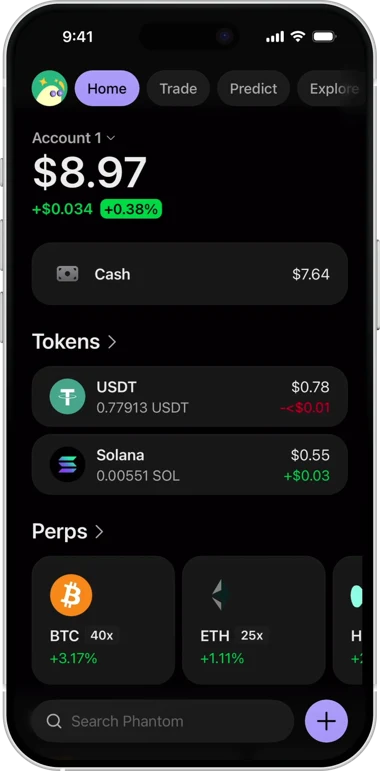
Phantom
Send isn’t a top-level action
Trading sits in a separate tab
Leverage up to 40× is promoted on the home screen
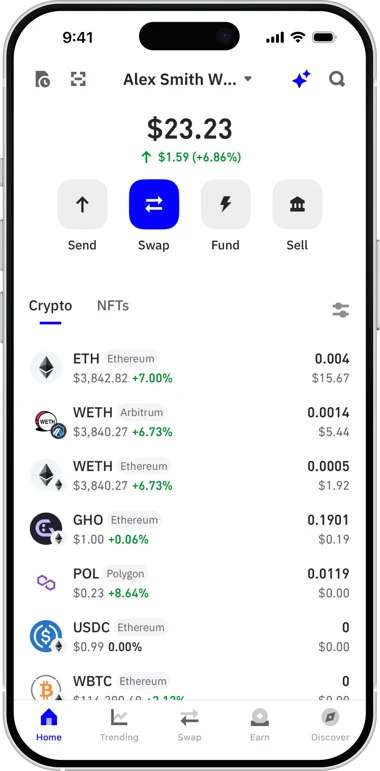
Trust Wallet
Send is one of four primary actions
Swap has a dedicated shortcut
WETH appears as separate entries across two networks
The challenge wasn’t to simplify everything
With no budget for interviews or usability testing, I used market data, wallet reviews and competitor analysis to see where first-timers get stuck.
Make core actions easy to find
Essential actions stay on Home, no trading terminal.
Make recipients and costs clear
Saved contacts, swap fees in % and $ before confirming.
Use warnings where they matter
Extra checks only before irreversible sends and recovery.
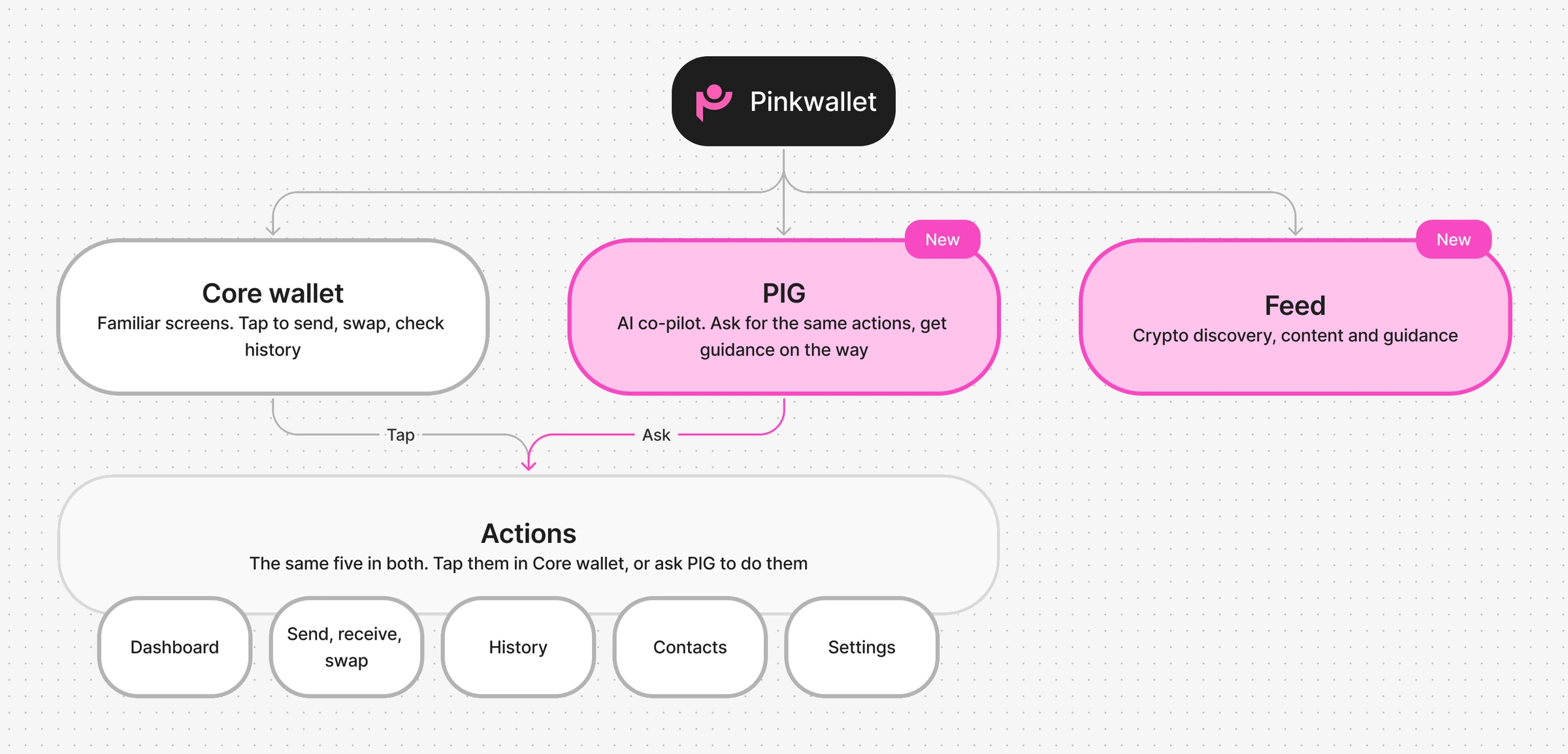
A familiar core, with two new additions
The research gave three rules. They shaped the structure.
A beginner shouldn’t have to learn a new interface and a new kind of money at once.
We kept everyday wallet actions familiar: managing assets, sending, receiving and swapping.
Two new parts, two roles: Feed for exploring crypto, PIG for understanding and preparing actions across the wallet.
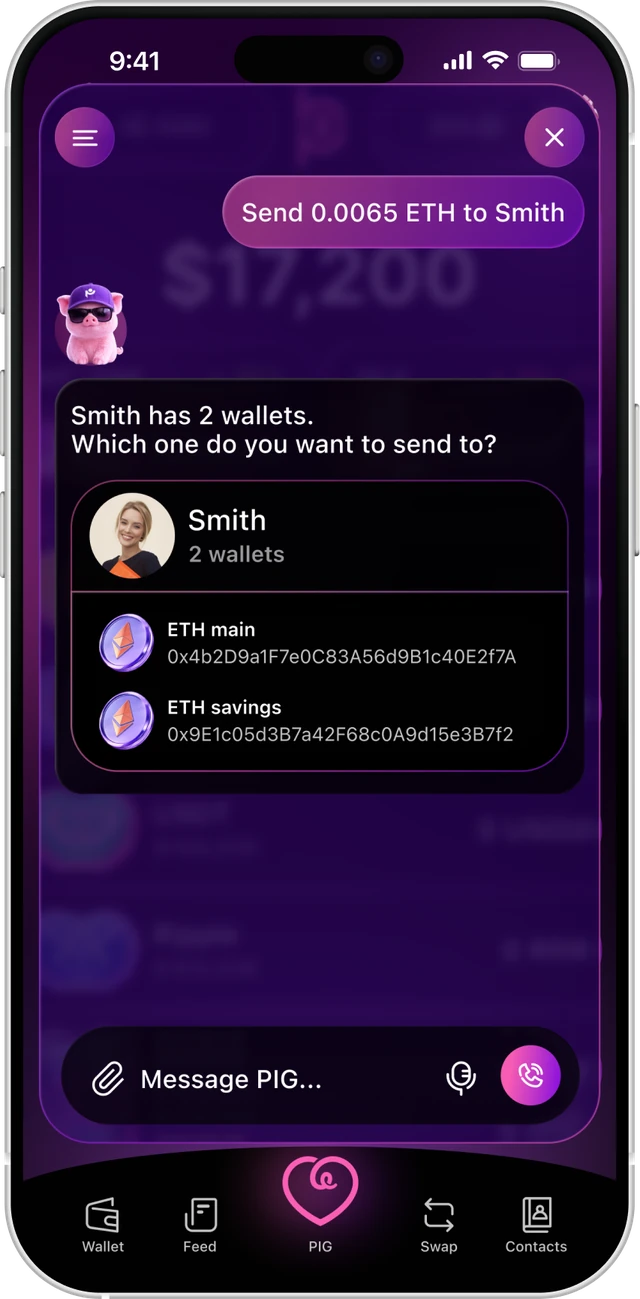
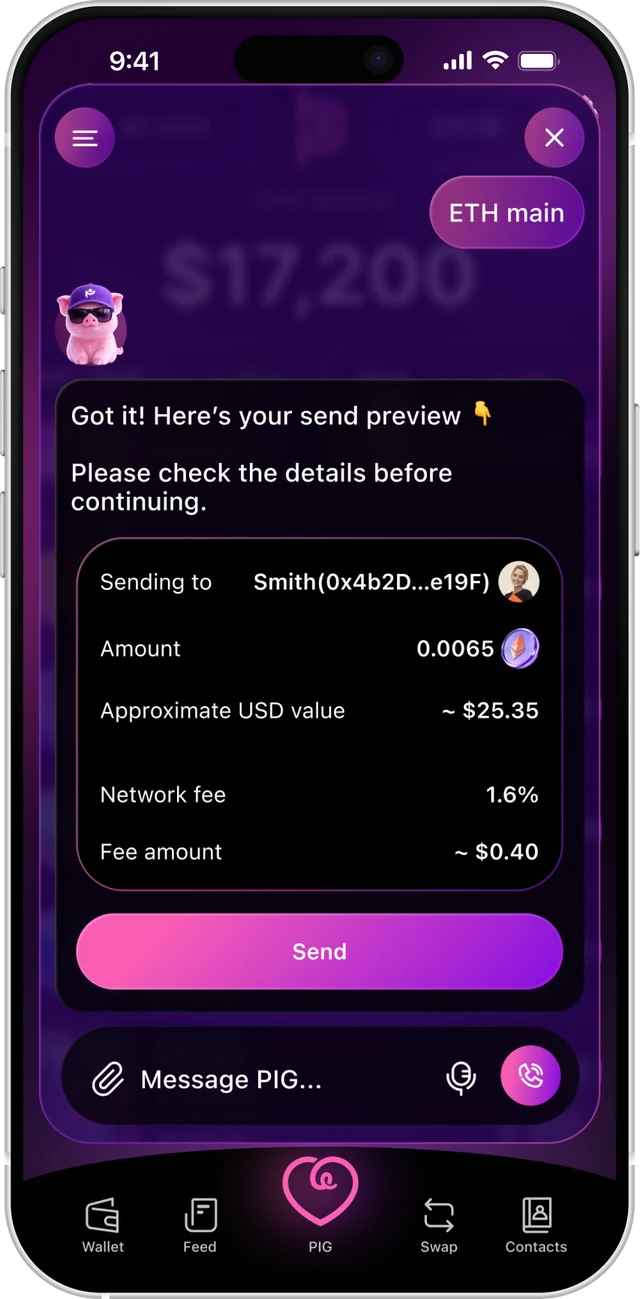
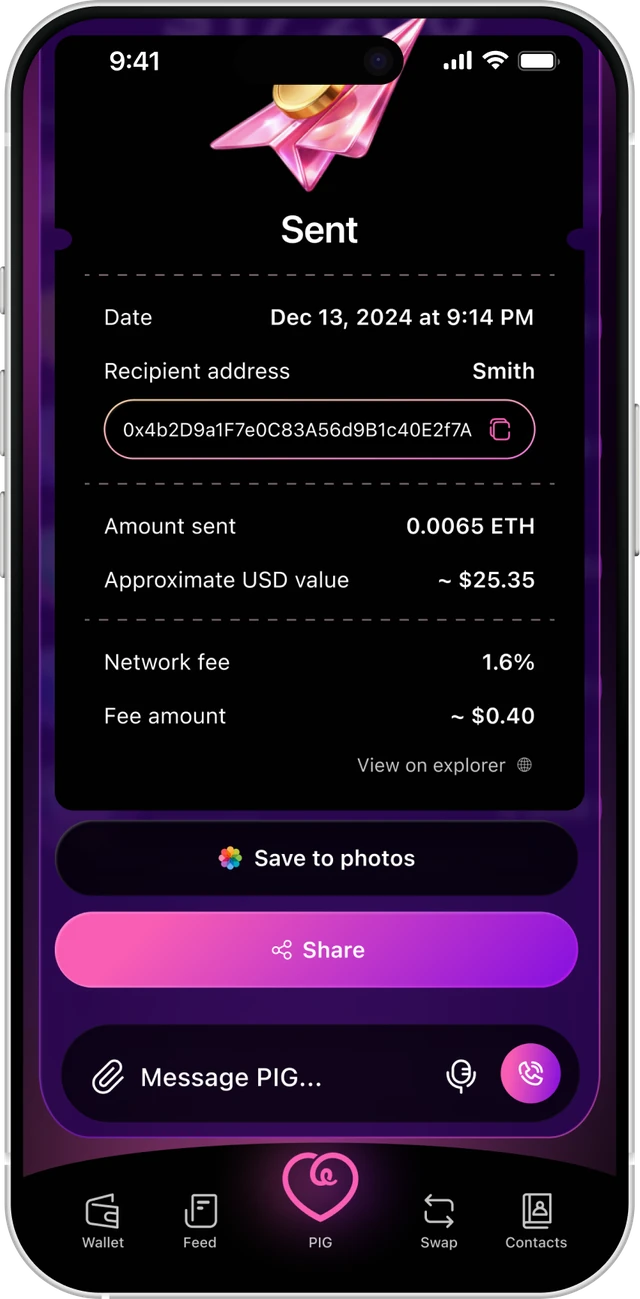
A co-pilot, not an autopilot
Sending crypto takes more than a recipient and an amount. A contact can have several wallets, so PIG first helps choose the right one, then prepares the transaction and explains its details.
The user reviews everything and confirms. PIG never sends money on their behalf.
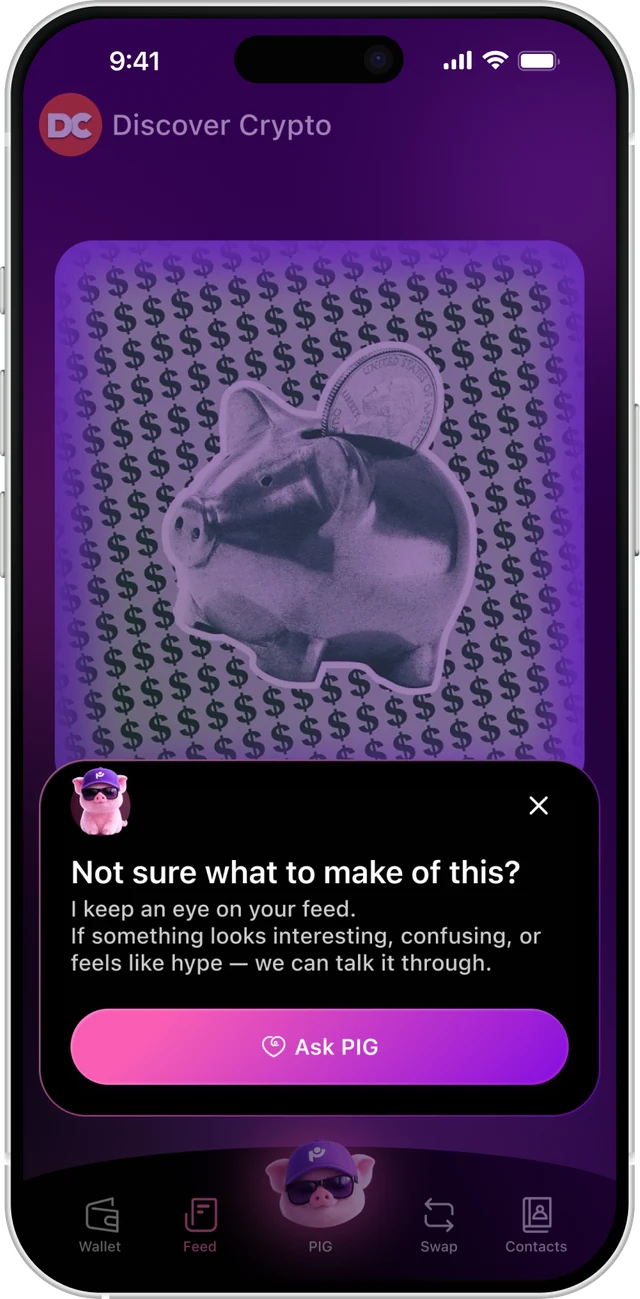
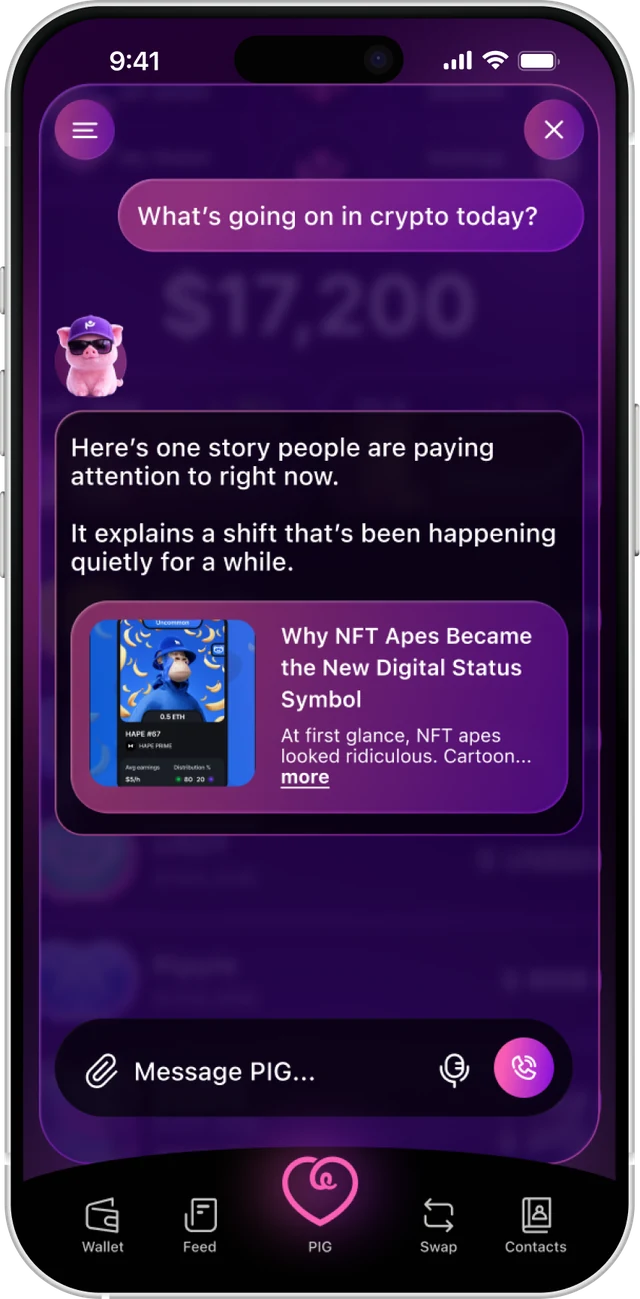
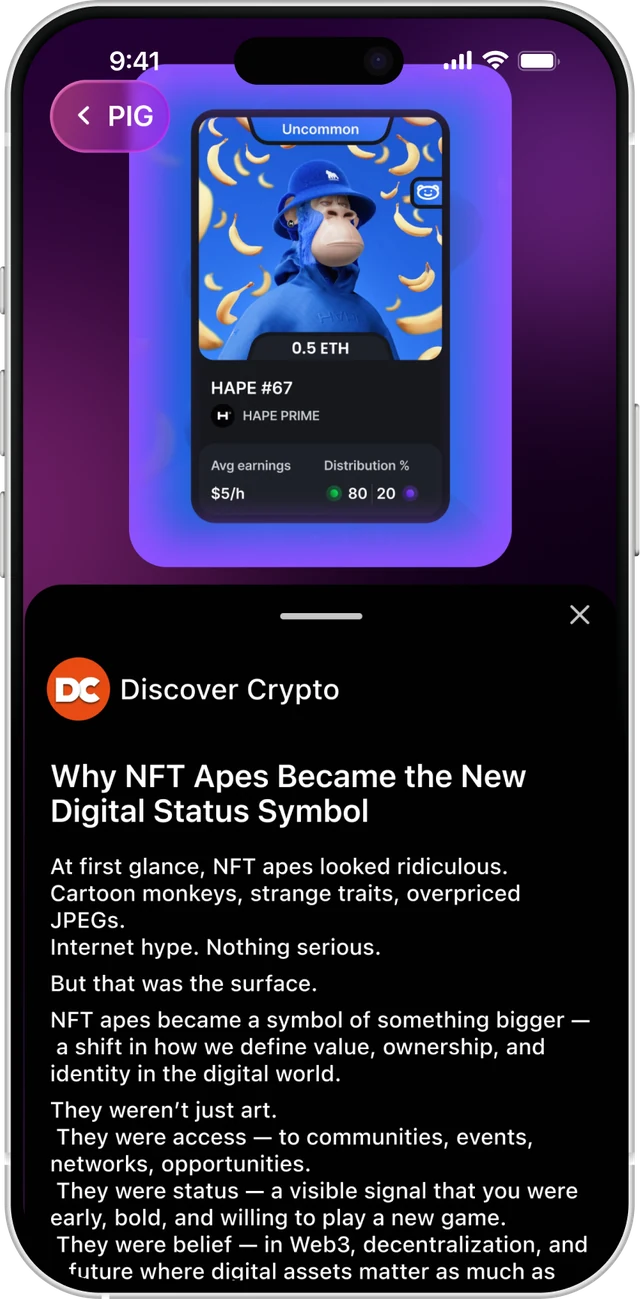
Discovery, without impulse
On the first three visits, a short pop-up introduces PIG in the Feed. Users can ask what’s going on in crypto, and PIG answers with a story to open. They can also browse the Feed directly.
A place to understand crypto, not a source of buy recommendations.
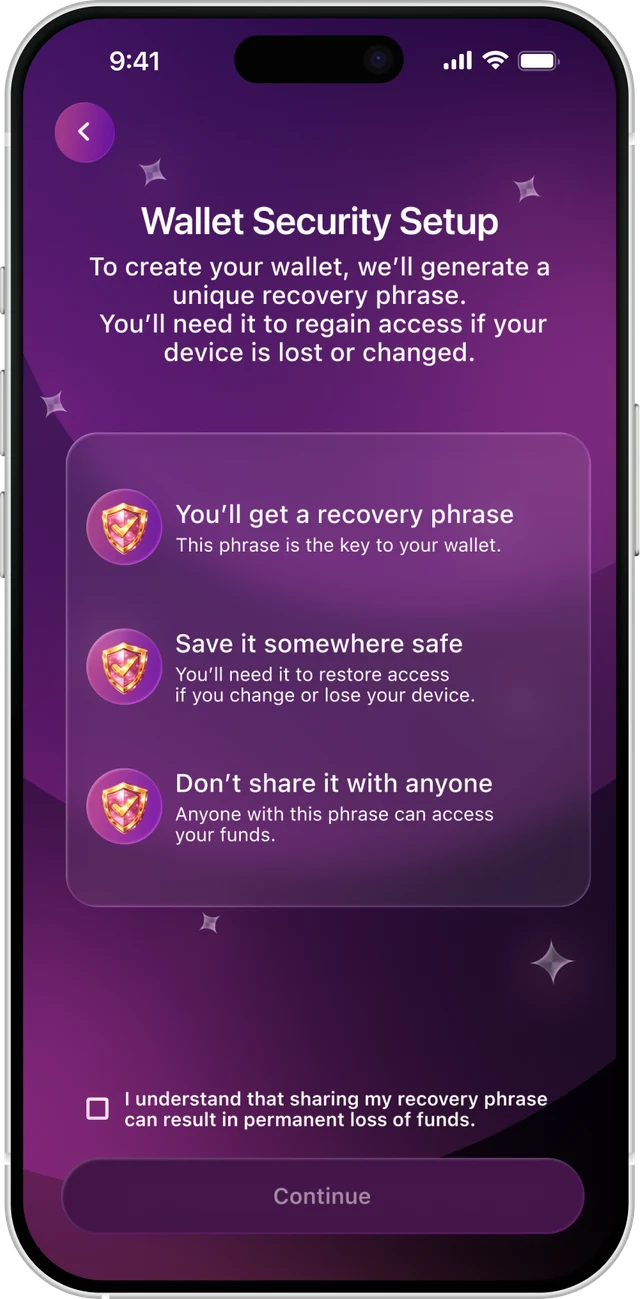
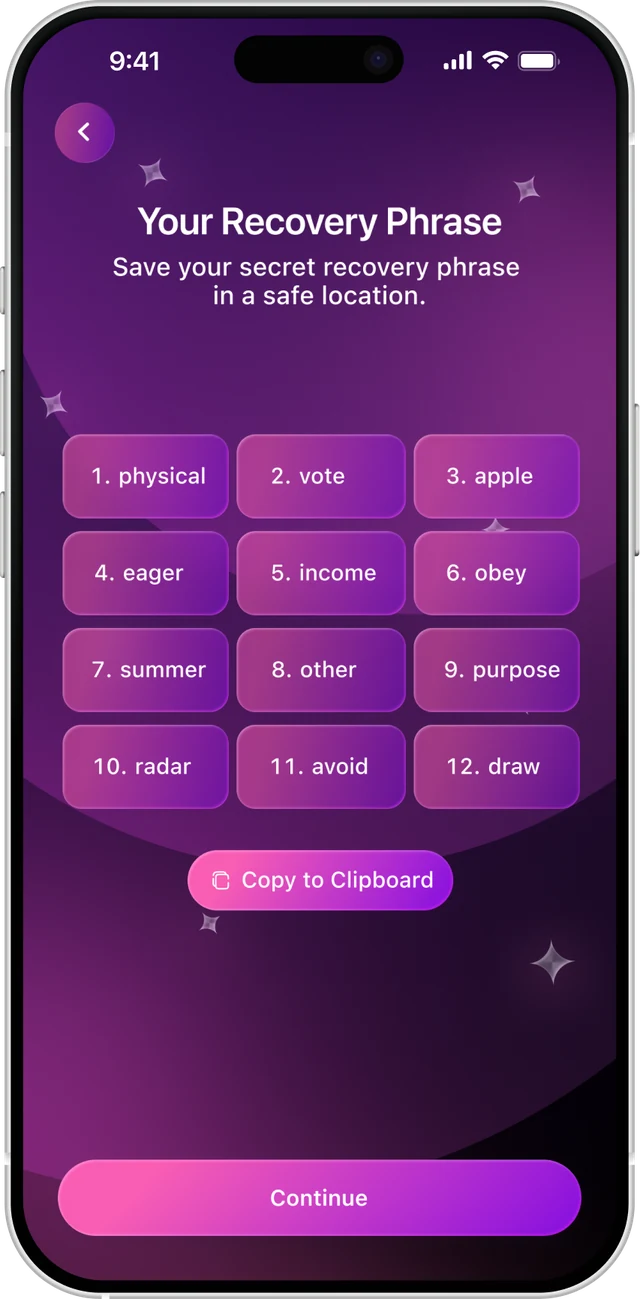
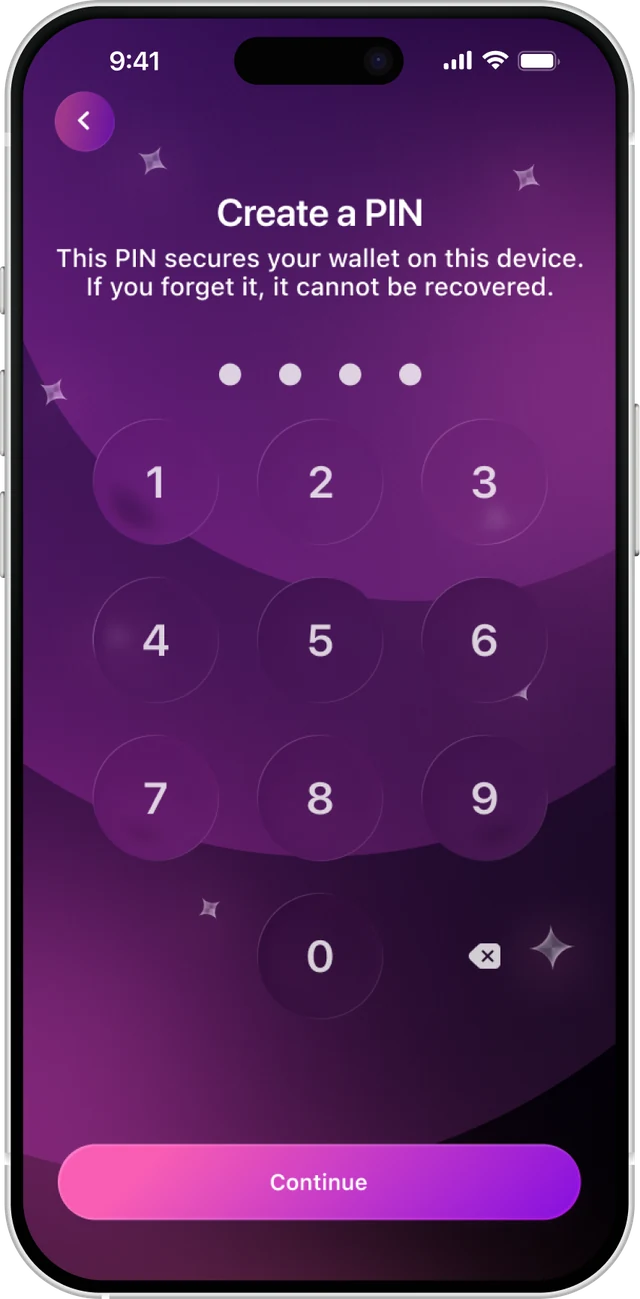
Friction only where it protects
Before the wallet is created, three short warnings explain why the recovery phrase matters. Continue stays disabled until users confirm they understand the risk.
After saving the phrase, users create a PIN. If they forget it, it cannot be recovered.
Viewing the phrase again requires PIN verification.
One question decided the scope
With eight weeks, two designers and a budget for one platform, we had to be selective. We kept what beginners need, limited what could add risk, and cut the rest.
Does this reduce the chance that someone loses money or gives up?
One product, two moods
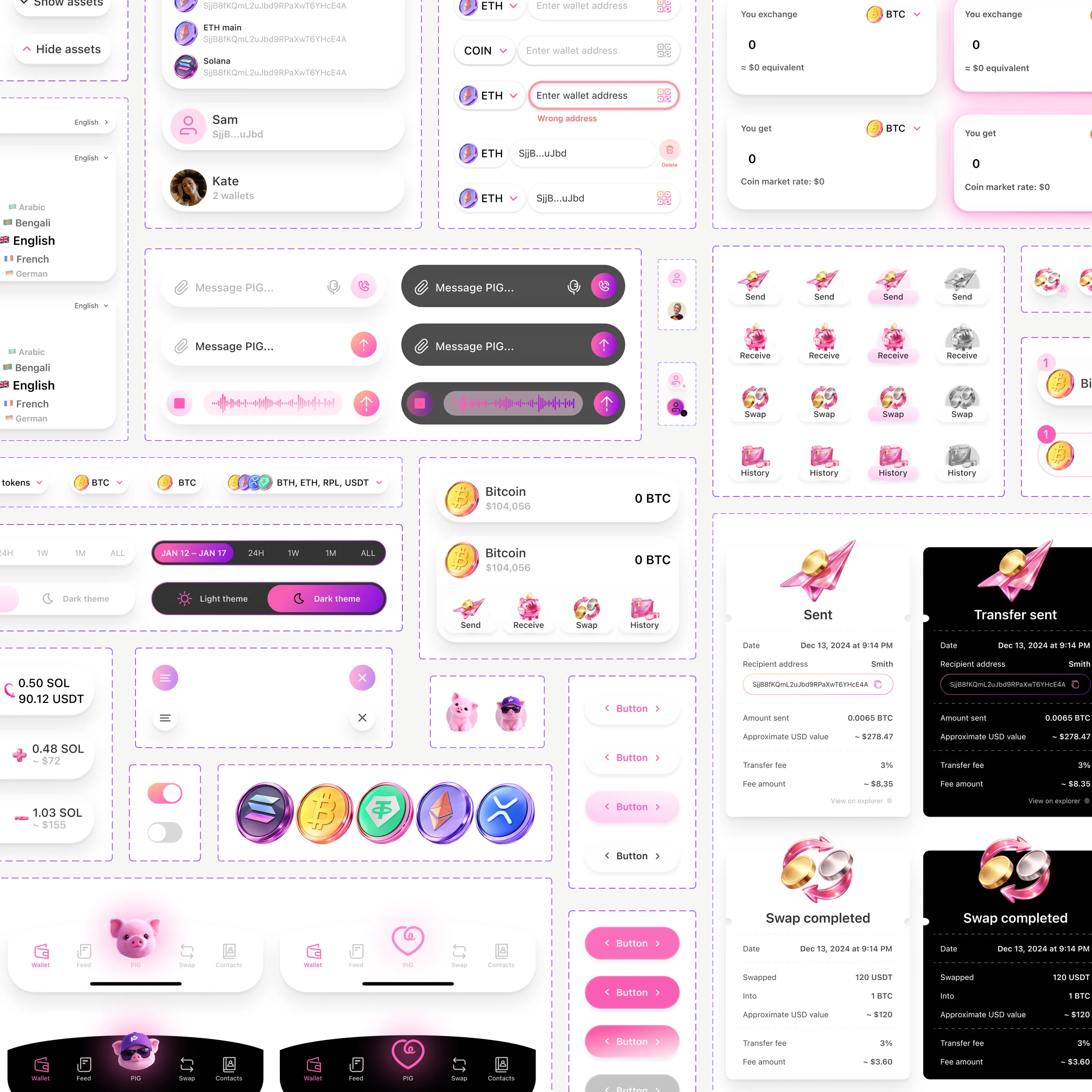
200+ screens in eight weeks, built from one set of components.
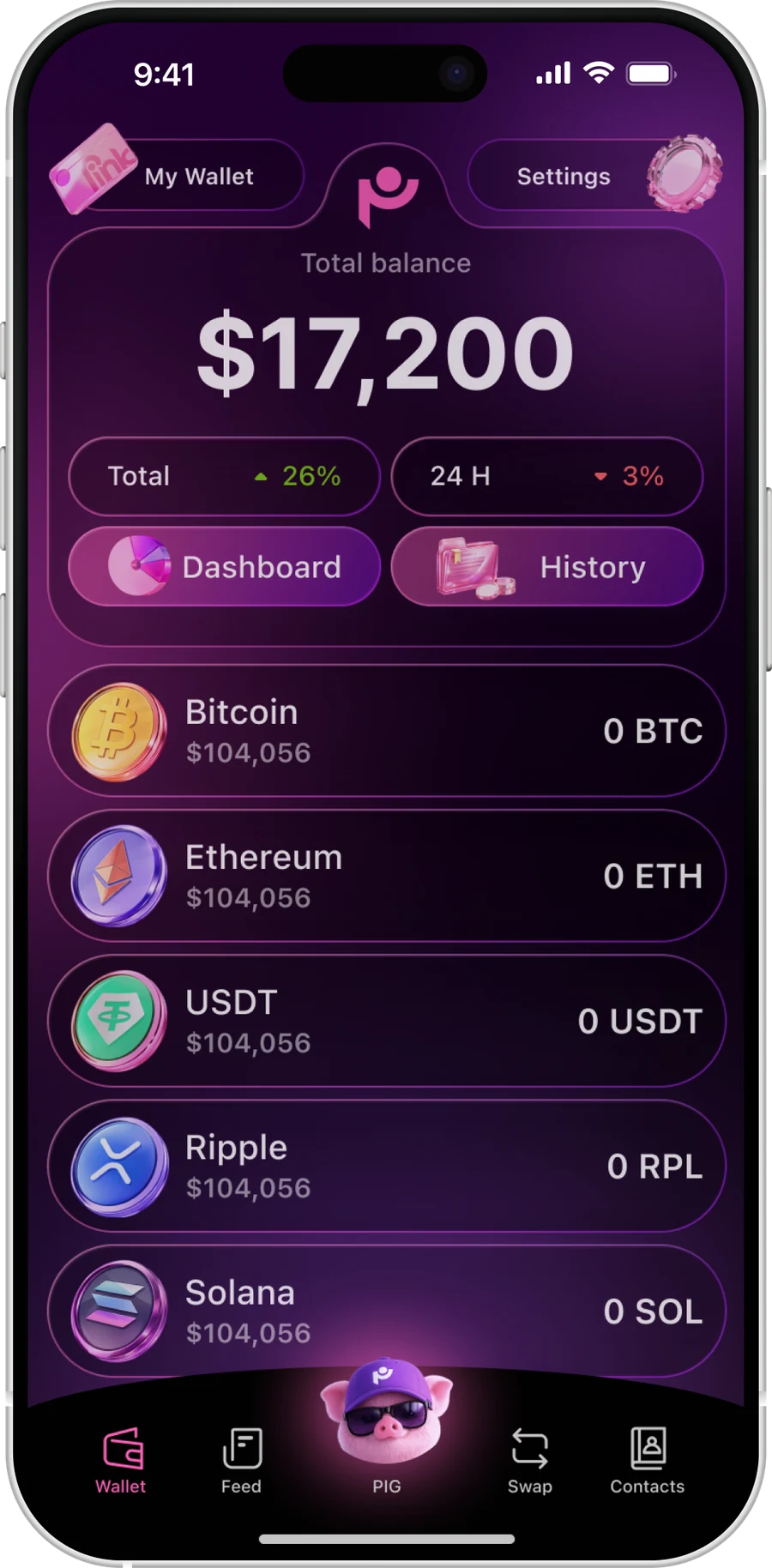
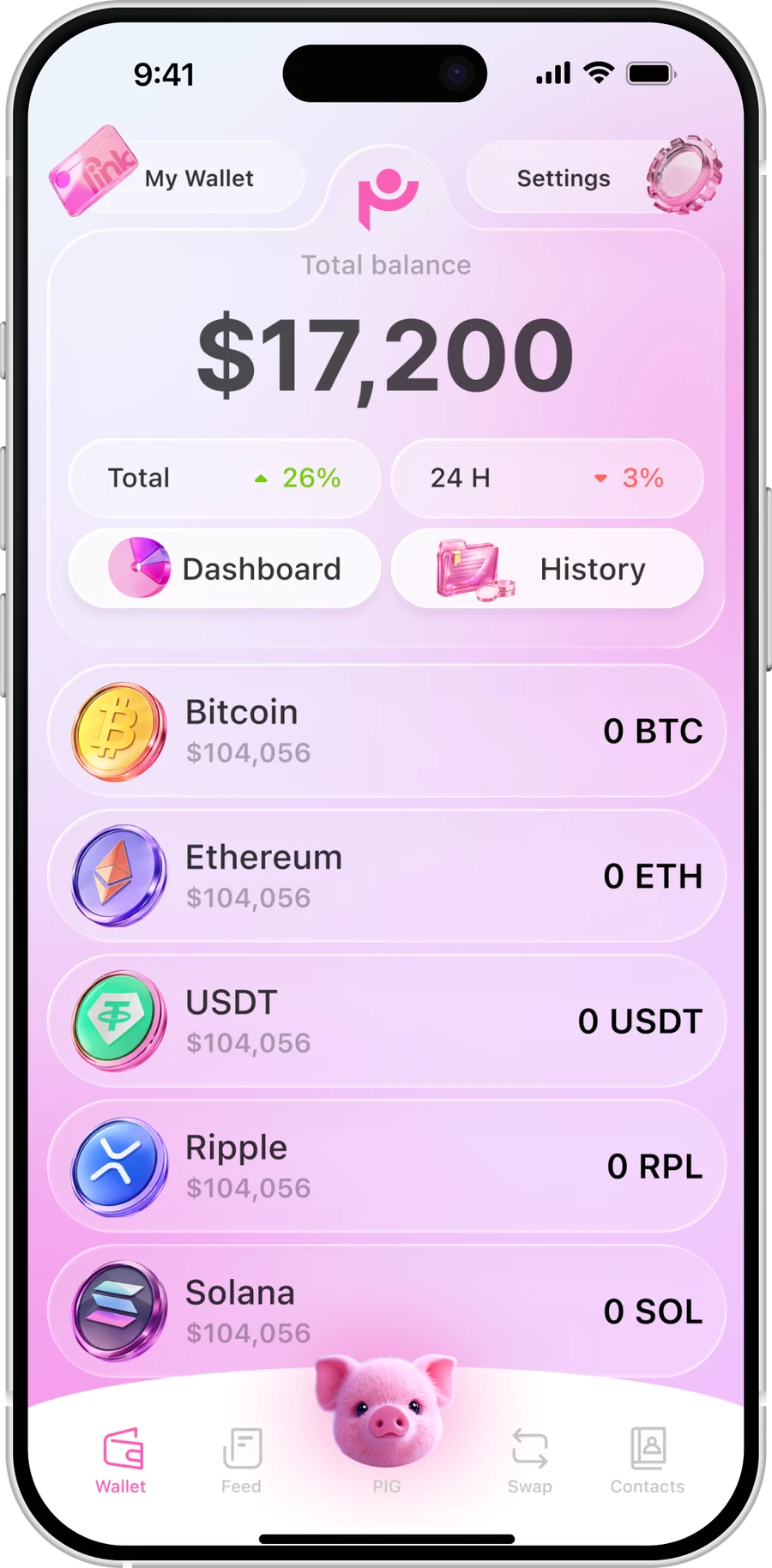
Two themes, one component set
Light and dark share the same components.
A rule, not a library
Repeated patterns became components.
Contrast by design
WCAG AA targets, no state by colour alone.
One material, one palette
3D assets made with AI, in one style.
Setting up
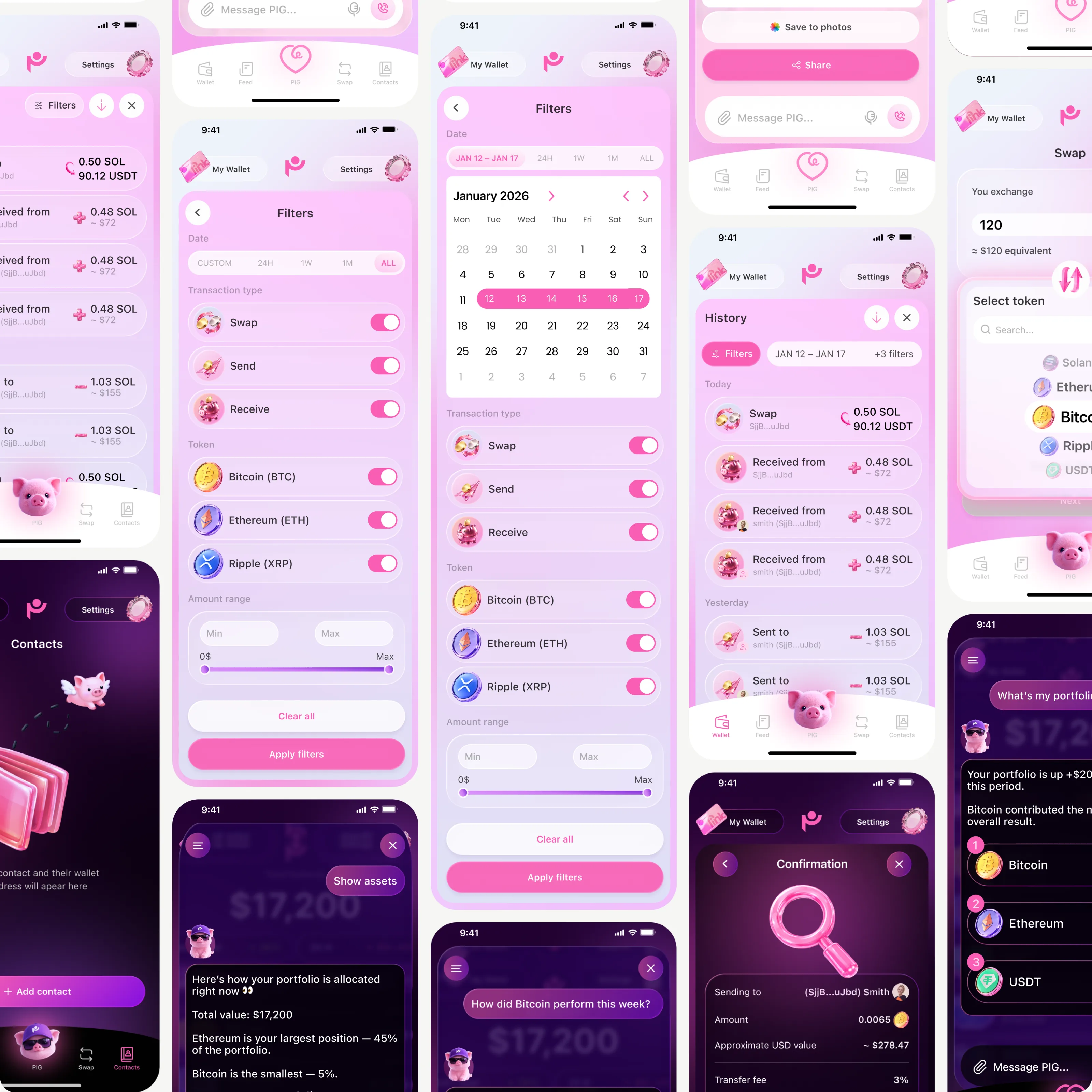
Using the wallet
Launched, and in use
PinkWallet launched in July 2026. Most people who started setup finished it, and some went on to swap and send.
Friction at setup didn’t stop people: most who started finished, in about three minutes.
Client analytics, measured with Amplitude and backend data, July–September 2026.
Built on convention, never tested
Without a usability-testing budget, I relied on familiar patterns and safeguards. Key assumptions remained untested.
Test the confirmation step
Does it prevent mistakes or add friction?
Validate trust in PIG
Do users trust PIG’s prepared transfer enough to confirm it?
Spec interactions with developers
Document states and motion to close implementation gaps.
Measure what matters
Define success metrics for key flows and track them after launch.
Make it simple first, then make it safe
That’s how I designed PinkWallet, and how I’d approach your product.